How to take a long screenshot of any app on iPhone or iPad
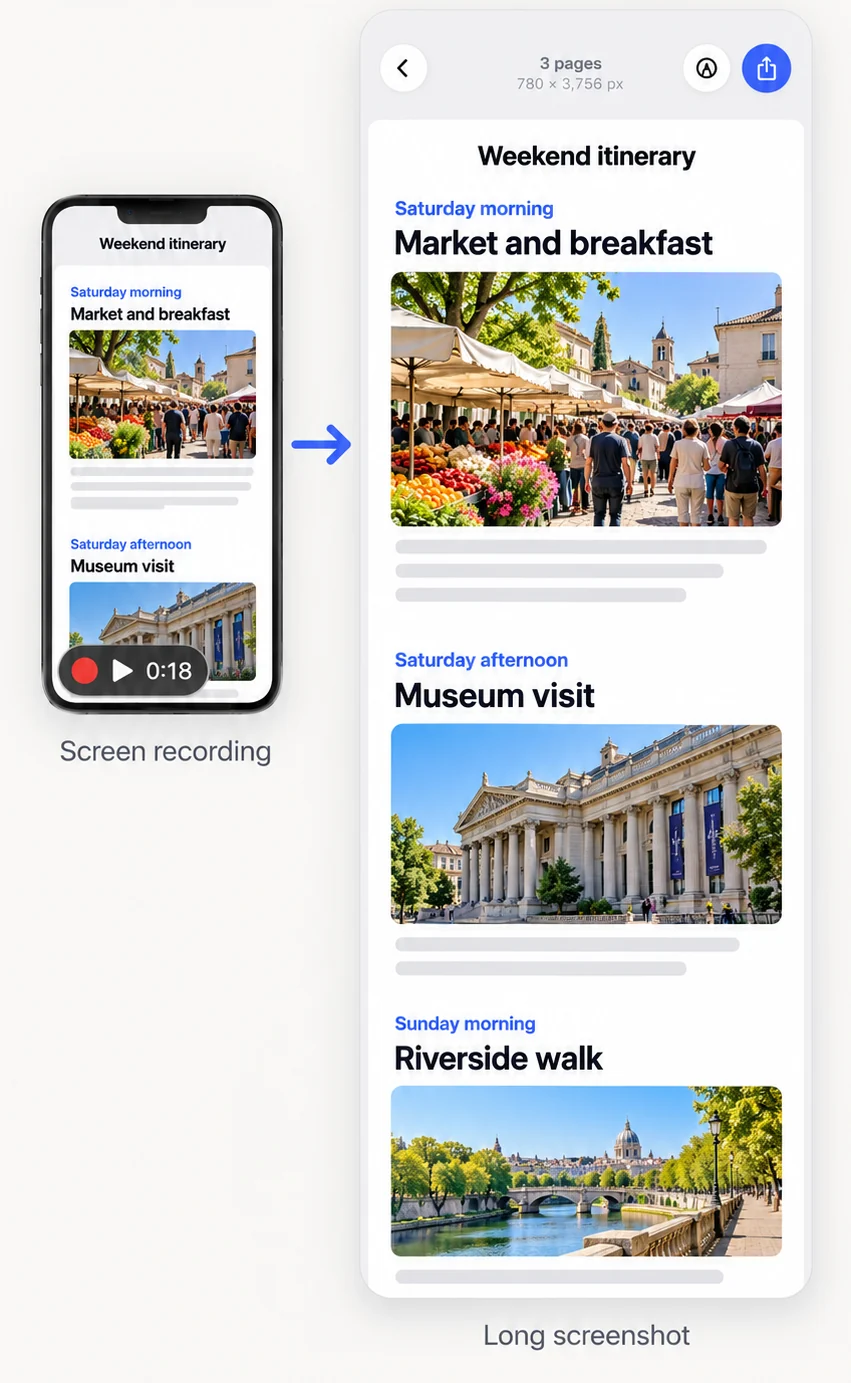
- Pick your way inA web page: share its link to FullPage. Any app: screen-record while you scroll, or take overlapping screenshots.
- Open it in FullPageShare the link or screenshots from Safari or Photos, or tap Videos or Photos in the app.
- Let FullPage stitchIt matches the overlap, keeps the status bar once and joins everything into one seamless image.
- Check and trimTap any join to adjust it, cut out what you do not need, or cover private details.
- SaveExport one long PNG, JPG or PDF to Photos or Files.
Every way to take a long screenshot on iPhone, compared
Here is what each method gives you, from the built-in options to a dedicated app.
| Method | Works in | You get | Limits |
|---|---|---|---|
| Safari Full Page (built in) | Safari and a few other apps | A PDF in Files | No image, no chats or most apps, ads and pop-ups included |
| Several normal screenshots (built in) | Any app | Many separate images | Nothing joins them; the reader has to piece them together |
| Screen recording (built in) | Any app | A video | Not an image; hard to read, mark up or print |
| FullPage | Any app, plus web links | One long PNG, JPG or PDF | Free up to 10 screenshots per stitch; Pro removes the limit |
How to use Safari’s built-in Full Page option
Take a screenshot while a web page is open in Safari, tap the preview, choose Full Page, and save it as a PDF to Files. It is quick for a web page you only need as a PDF. It does not remove ads or pop-ups and it cannot save a PNG or JPG.
How to take a scrolling screenshot of a chat or any app
iOS has no scrolling screenshot for apps. Record your screen while you scroll, then open the video in FullPage, or take screenshots that overlap by about a quarter of the screen and stitch them. FullPage turns either into one long image.
Is it the same on iPad?
Yes. Every method above works the same way on iPad, and FullPage runs on both iPhone and iPad with iOS 18.0 or later.
Frequently asked questions
Does iPhone have a scrolling screenshot?
Only for web pages in Safari and a few apps, saved as a PDF. For chats, other apps or an image file, use a long screenshot app such as FullPage.
How do I screenshot a whole page on iPhone without an app?
In Safari, take a screenshot, tap the preview, choose Full Page and save it as a PDF to Files.
How do I take a long screenshot on iPhone as an image?
Use FullPage: share a link, a screen recording or overlapping screenshots to it and save one long PNG or JPG.
What is the easiest way to take a long screenshot of a chat?
Screen-record one slow scroll through the chat and open the video in FullPage. It stitches the frames into one image.
Last updated .