How to save a web page as PDF or image on iPhone or iPad
- Open the page in SafariOpen the article, recipe, receipt or any web page you want to keep.
- Share to FullPageTap Share and choose FullPage. The page is captured in place.
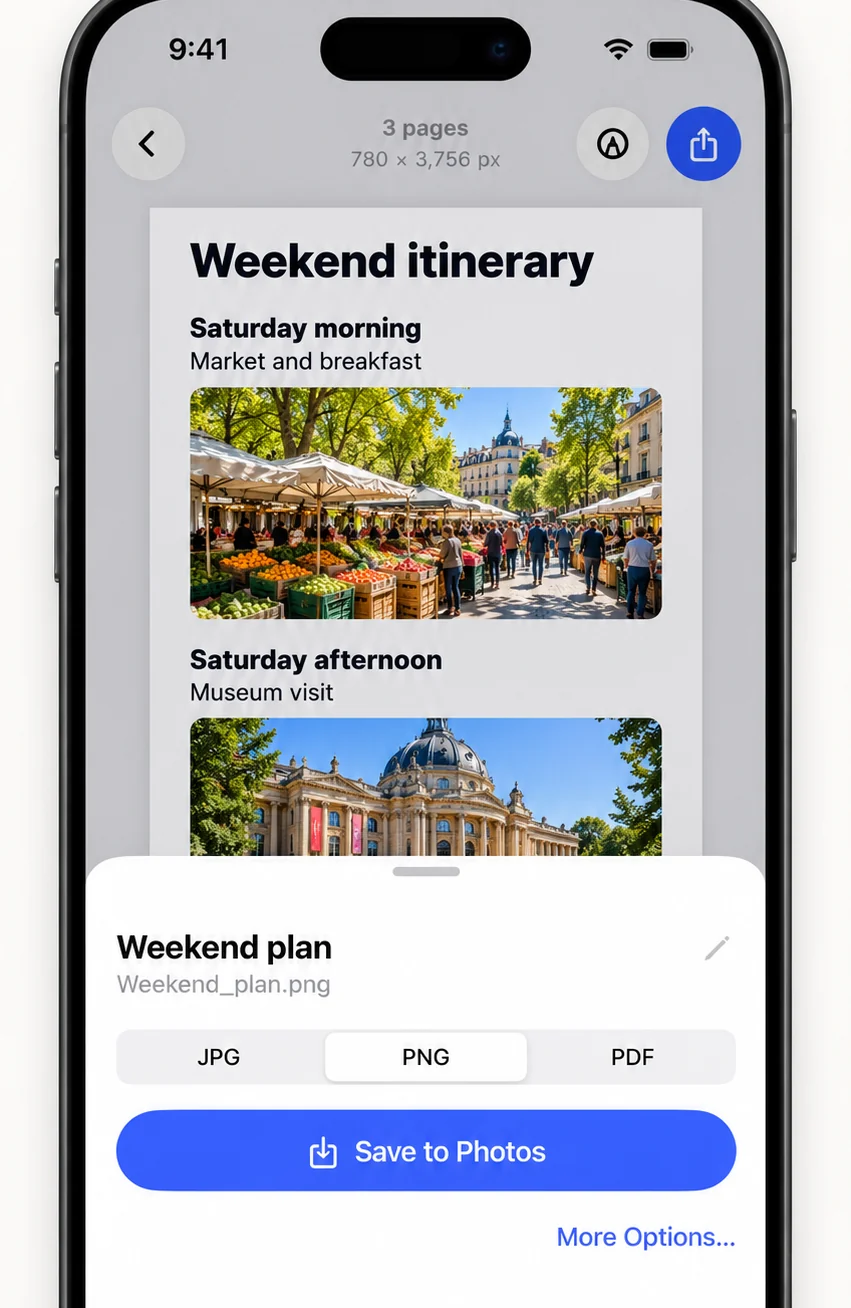
- Pick a formatChoose PNG, JPG or PDF in the export sheet.
- SaveSave to Photos or to the Files app.
Should I save as PDF, PNG or JPG?
Choose PDF to archive or print: a vector PDF stays sharp when you zoom. Choose PNG for the crispest image to send in a message. Choose JPG when you need a smaller file.
Why is it cleaner than printing to PDF?
FullPage blocks known ad-network scripts, images and third-party ad frames before the page loads, hides cookie and newsletter dialogs, and releases scroll locks so the whole page can be captured.
How is it different from Safari’s built-in PDF?
iOS can save a Safari screenshot as a full-page PDF. FullPage adds PNG and JPG export, hides ads and pop-ups, lets you cut out parts of the page, and also handles content that is not a web page.
Frequently asked questions
How do I save a web page as a PDF on iPhone?
Share the page to FullPage from Safari and save as PDF. FullPage also offers PNG and JPG.
Can I save a web page as an image?
Yes. FullPage saves the whole page as one tall PNG or JPG.
Where are the files saved?
To Photos or to the Files app, whichever you choose when saving.
Last updated .